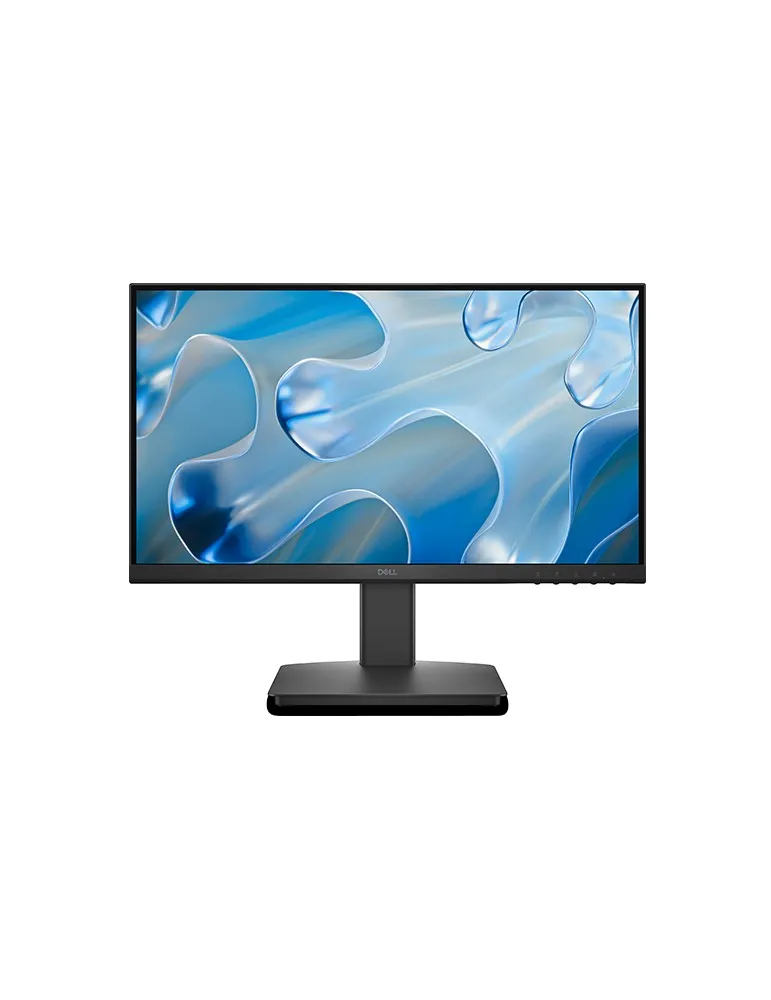
Description
Dell SE2225HM 22″ FHD Monitor
The Dell SE2225HM 22-inch FHD Monitor is a practical and reliable display designed for users who want a clear Full HD viewing experience, smooth performance, and efficient everyday operation. Featuring a 21.5/22-inch class Full HD display, 16:9 aspect ratio, 100Hz refresh rate, and a 5ms response time, this Dell monitor is well suited for office work, online learning, browsing, multimedia, home computing, and general productivity. Its compact size makes it an excellent choice for desks where space is limited while still providing enough screen area for comfortable daily use.
With a 1920 × 1080 Full HD resolution, the Dell SE2225HM delivers detailed and sharp visuals for documents, websites, videos, presentations, and applications. The 16:9 widescreen format provides a familiar viewing experience and works well with modern content. Whether you are preparing spreadsheets, attending virtual meetings, watching videos, or working with multiple browser windows, the Full HD panel provides a balanced combination of clarity and usability.
Dell SE2225HM 22″ FHD Monitor – Key Specifications
| Brand | Dell |
|---|---|
| Model | SE2225HM |
| Size | 22‑inch |
| Brightness | 250 nits (cd/m²) |
| Refresh Rate | 100 Hz |
| Response Time | 5 ms |
| Aspect Ratio | 16:9 |
| Color Support | 16.7 million colors, covering about 72% NTSC |
| HDR Support | No HDR support |
| Connectivity Options | HDMI 1.4 1× VGA 1× power input |
| Power Consumption | Typical power use is around 11–12 W (On) and up to about 20–21 W |
| Adjustability | ‑5° to +21°; no height, swivel, or pivot on the built‑in stand. |
Full HD Resolution for Everyday Clarity
The Dell SE2225HM features a 1920 × 1080 Full HD resolution, giving users a crisp and detailed image for everyday computing. Full HD is an excellent resolution for a 22-inch display because it offers clear text, defined graphics, and comfortable image quality without requiring excessive system resources.
For office professionals, the monitor can display documents, spreadsheets, emails, web applications, and business software with good clarity. Students can use it for online classes, research, assignments, presentations, and educational content. At home, the display is equally suitable for browsing social media, watching videos, managing personal files, and performing everyday computer tasks.
Smooth 100Hz Refresh Rate
One of the major highlights of the Dell SE2225HM is its 100Hz refresh rate. Compared with traditional 60Hz displays, 100Hz provides smoother movement and more fluid screen transitions. This can make scrolling through websites, navigating applications, moving windows, and viewing video content feel more responsive.
The 100Hz refresh rate is especially useful for users who spend many hours browsing websites or working with documents. Smooth motion can contribute to a more comfortable and responsive computing experience. It also makes the monitor suitable for casual entertainment and everyday gaming, although it is primarily designed as a productivity and general-purpose display rather than a dedicated high-end gaming monitor.
5ms Response Time
The monitor offers a 5ms response time, helping provide responsive pixel transitions during everyday use. This specification is beneficial when displaying moving images, video content, animations, and fast screen transitions. Combined with the 100Hz refresh rate, the Dell SE2225HM delivers a smooth and responsive visual experience for common computing activities.
250-Nit Brightness and 16.7 Million Colors
With a brightness rating of 250 nits, the Dell SE2225HM provides suitable illumination for typical indoor environments such as offices, bedrooms, classrooms, study areas, and home workstations. The display supports approximately 16.7 million colors and covers around 72% NTSC, allowing it to produce natural-looking colors for general productivity, web browsing, videos, presentations, and everyday multimedia.
Although the monitor does not feature HDR support, its Full HD resolution and standard color reproduction make it a practical solution for users who prioritize affordability, productivity, and everyday display performance rather than professional HDR content creation.
HDMI and VGA Connectivity
The Dell SE2225HM offers flexible connectivity through one HDMI 1.4 port and one VGA port. HDMI provides a convenient digital connection for modern desktop computers, laptops, mini PCs, media devices, and other compatible equipment. The VGA input adds compatibility with older computers and systems that may not have a modern digital display output.
This combination makes the monitor versatile for home offices, educational environments, business workstations, and replacement setups where legacy VGA equipment may still be in use.
Key Features and Benefits
- 22-inch Full HD display for sharp and detailed everyday visuals.
- 1920 × 1080 resolution for clear text, graphics, documents, and multimedia.
- 100Hz refresh rate for smoother scrolling and screen movement.
- 5ms response time for responsive pixel transitions.
- 250 nits brightness suitable for typical indoor environments.
- 16.7 million colors for natural and consistent everyday color reproduction.
- Approximately 72% NTSC color coverage.
- 16:9 widescreen aspect ratio suitable for modern content and applications.
- HDMI 1.4 connectivity for modern digital devices.
- VGA connectivity for compatibility with older computers.
- Tilt adjustment from -5° to +21° for flexible viewing angles.
- Compact 22-inch form factor suitable for smaller desks.
Why Choose the Dell SE2225HM?
The Dell SE2225HM is a strong choice for users seeking a dependable 22-inch Full HD monitor with a smooth 100Hz refresh rate. It combines essential features with practical connectivity while maintaining a compact and efficient design. The 5ms response time, 250-nit brightness, 16:9 widescreen format, and Full HD resolution make it well suited to a wide range of daily computing tasks.
Its HDMI and VGA ports provide useful compatibility with both modern and older computers, while the adjustable tilt stand allows users to find a comfortable viewing angle. With its efficient power consumption and straightforward feature set, the monitor is particularly well suited for offices, classrooms, home workstations, small businesses, and everyday desktop setups.


Reviews
There are no reviews yet.